Why did my ad revenue drop? A 20-minute checklist for Google Ad Manager
Revenue down in Google Ad Manager and nobody knows why. Here is the order to check things in, from report lag to a missing tag, so you find the cause before lunch.
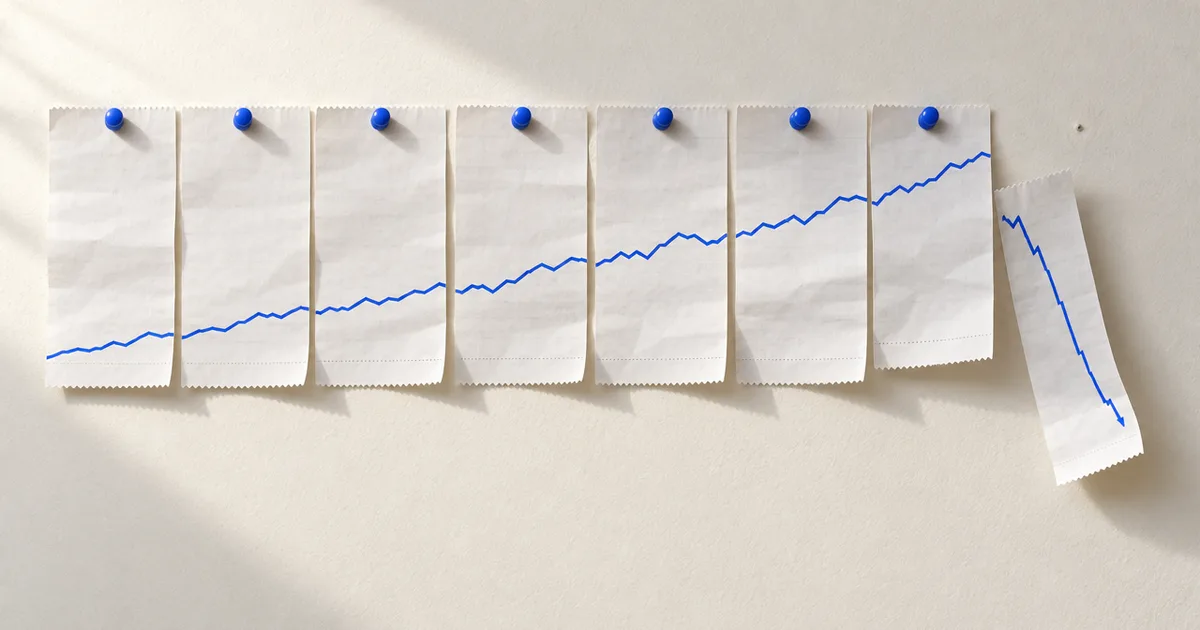
Ad revenue drops are almost never one thing, and the cause is almost never where the first person to notice looks. A real drop in Google Ad Manager has one of four shapes: fewer people arrived, fewer ad requests were made for the people who did arrive, fewer of those requests were filled, or each filled impression paid less. Work out which shape you are looking at first, and the rest of the search gets short.
This is the order we use. Twenty minutes if the data is there, longer only when the answer is "a release on Friday".
Minute 0 to 3: is the drop real yet?
Open the report and check the time window before you check anything else. Ad Manager reporting is not instant. Hourly numbers for the current day fill in over several hours, and revenue from Open Bidding, yield groups and some mediation partners lands later than Ad Exchange does. A line that looks 40 percent down at 10:00 for the hours since midnight may look fine by 14:00.
Two quick tests:
- Compare the same hours of today with the same hours of the same weekday last week. Not yesterday. Mondays and Saturdays are different animals for most sites.
- Look at the last full day instead of today. If yesterday's full-day revenue is normal and today is "down", wait and re-check in two hours.
If yesterday's full day is down too, keep going.
Minute 3 to 6: traffic or ad stack?
Put ad requests next to pageviews for the same hours. Pageviews come from your analytics tool; ad requests come from Ad Manager. The ratio between them barely moves on a healthy site, so a change in the ratio is the signal.
| Pageviews | Ad requests | What it means |
|---|---|---|
| Down | Down by about the same share | Traffic fell. The ad stack is fine. Go talk to whoever watches search and social. |
| Flat | Down | Something between the page and Ad Manager broke. Keep reading. |
| Flat | Flat | Requests arrive but pay less or fill less. Skip to the fill and price sections. |
Since Google search referrals to many news sites fell by a third through 2025 and kept falling into 2026, the first row is more common than it used to be. It is still worth ruling out in three minutes rather than assuming it.
Minute 6 to 10: which ad units carry the drop?
Run a historical report: Ad unit as the dimension, hourly granularity, today and the same weekday last week, columns Ad requests, Impressions, Unfilled impressions, Ad server revenue. Export it and sort by the revenue difference.
Almost every real drop concentrates in one or two ad units. The pattern tells you where to look next:
- One unit, requests fell to zero. The slot is no longer being defined or displayed on the page. A template change, a renamed div, a lazy-load rule that now never fires. This is a page problem.
- One unit, requests normal, impressions fell. Something stopped filling it. A line item ended, a creative was rejected, a size was removed from the slot, or a floor was raised past what buyers pay.
- All units, everything down a similar share, on one device or one country. Look at the Device category and Country dimensions. A consent management platform that broke for one region, a browser update, or an app release that shipped without the ad SDK configured.
- All units, requests normal, revenue down. A price problem. Keep going to the last section.
Minute 10 to 14: did the page change?
Open the affected page in a private window with the developer console. You are checking three things, in this order.
- Does
googletagexist, and doesgoogletag.pubads().getSlots()list the slots you expect? Run it in the console. A missing slot here is your zero-requests ad unit. - If you run Prebid, does
pbjsexist, and what doespbjs.getConfig()return? Check the bidder timeout and, if you serve video, thecachesetting. Since the public Prebid Cache that Microsoft ran closed on 30 April 2026, a video setup that still points atprebid.adnxs.comfails quietly on every video bid. - Does your tag manager or consent tool load before the ad script? A CMP update that now blocks the ad call until consent arrives, on a site that used to load ads first, shows up as a drop in requests on the first pageview of every session.
Then ask the one question that solves half of these: what was deployed, and when? Match the hour the drop started against the release log, the tag manager version history, and any ads.txt or CMP change. The hour almost always matches something.
Minute 14 to 17: did demand change?
If requests held and impressions fell, demand walked away from the inventory.
- ads.txt. Fetch
https://yoursite.com/ads.txtand compare it with last week's copy. A deploy that overwrote the file, a line a partner needs that someone removed, a syntax error on line 40 that makes some crawlers stop reading. Buyers that cannot find their seller ID in your file stop bidding without telling you. - Line items and orders. In Ad Manager, filter line items by end date in the last two days. A sponsorship or a preferred deal that ended yesterday will take its revenue with it, and that is not a bug.
- Protections and blocks. A new blocking rule, a category block, or a creative review that rejected a large campaign.
- Open Bidding and yield partners. Check the Yield group report for a partner whose impressions went to zero. A partner-side outage looks like your drop.
Minute 17 to 20: did price change?
Same requests, same impressions, less money. Three usual causes:
- Floors. A unified pricing rule edited this week, or a new one that catches more inventory than intended. Pull the Pricing rules report and sort by impressions blocked.
- Mix. A larger share of impressions went to a low-paying line item, a house ad, or a backfill partner because something above it in the waterfall stopped competing.
- The market. Mid-month, the quarter end, a holiday in a country that drives your revenue. Check the same days last year before you blame anything you own.
Write it down, then make the check automatic
When you find the cause, write four lines in the incident note: when it started, what changed, how much it cost, how you found it. The note is the reason the next drop takes ten minutes instead of a day.
Most of this checklist is a comparison that a machine can run every hour: this ad unit's revenue against the same weekday last week, this unit's requests against zero, this file against its last copy. PubPilot runs those comparisons on your Google Ad Manager reports on a schedule, checks that googletag and pbjs are still loading on your pages, and watches ads.txt for changes, so the alert reaches you by email or Slack at 10:40 rather than in the monthly report.
Questions people ask
- How long should I wait before treating a revenue drop as real?
- Give Google Ad Manager reporting a few hours before you trust a drop in today's numbers. Hourly data firms up over the day and some sources (Open Bidding, some yield partners) land later than Ad Exchange. A drop in yesterday's full-day numbers is real; a drop in the last two hours often is not.
- What is the fastest way to tell a traffic drop from an ad stack drop?
- Compare ad requests with pageviews from your analytics tool for the same hours. If both fell by about the same share, you have a traffic problem, not an ad problem. If pageviews held and ad requests fell, something between the page and Ad Manager broke.
- Which Google Ad Manager report shows a drop by ad unit fastest?
- A historical report with the Ad unit dimension, hourly, for today and the same weekday last week, with Ad requests, Impressions, Unfilled impressions and Ad server revenue as columns. Sort by the revenue difference. One or two units usually carry the whole drop.